Apart from helping build your own online database application, iFreeTools can now help with automating more of your business processes, using workflows. Workflows in iFreeTools can check for criteria-rules during database changes and can trigger actions before or after those database changes.
For the first cut of the workflow implementation, we have enabled sending out emails as part of the workflow actions. More workflow actions like adding / updating records (like creating a task), invoking external web-APIs, etc.,. are to be supported very soon.
Defining and using workflows is as simple as filling in a form.
Let us assume, for example, that you have a custom customer support database application built and hosted using using iFreeTools single-tenant deployment in your own Google App Engine account and that you have a web-form in your website using which support requests can be made.
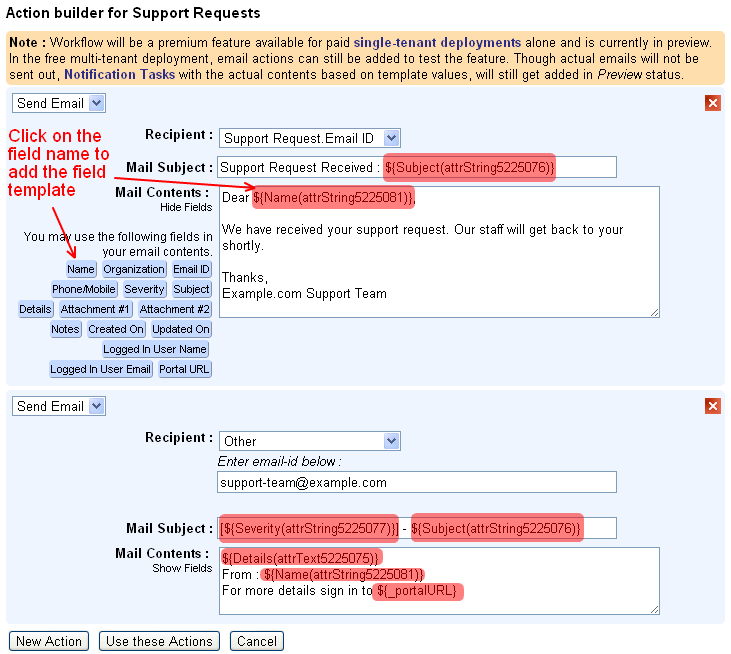
Now, if you wanted to send an automated email to the user's email-id informing that the request has been received and will be processed by your staff soon and to also notify your team of the new support request, then the workflow configuration can be as given below..

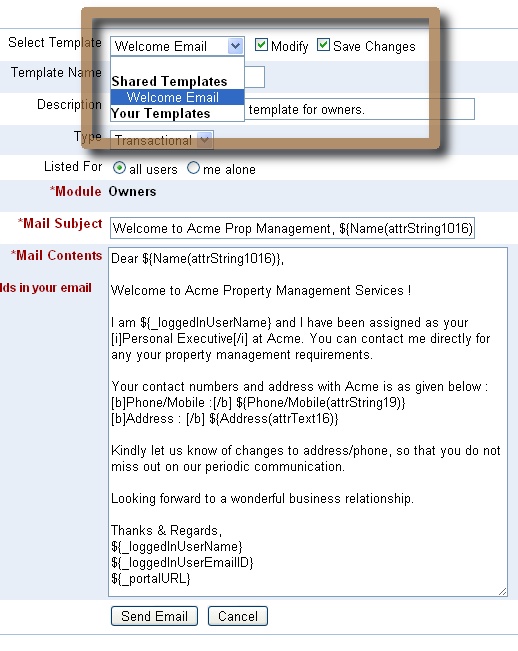
Configuring the workflow actions is also very easy, where you can enter the details of the recipient and providing the subject and the contents of the email in the Select Action form. Both subject and contents can have template fields from the database record and will be replaced with actual values when sending out the email.

For this workflow we did not add a workflow rule or the criteria to be matched before the workflow action can be executed. But in case you want to restrict the notifications to only High / Medium severity support requests, you could have done that too. The criteria form is similar to the Custom Views form and you can specify criteria based on operators is, is not, contains, does not contain.

As can be seen in the messages in the screen-shot images, workflows will be a premium feature available for paid, single-tenant deployments alone, which by the way is very much affordable :
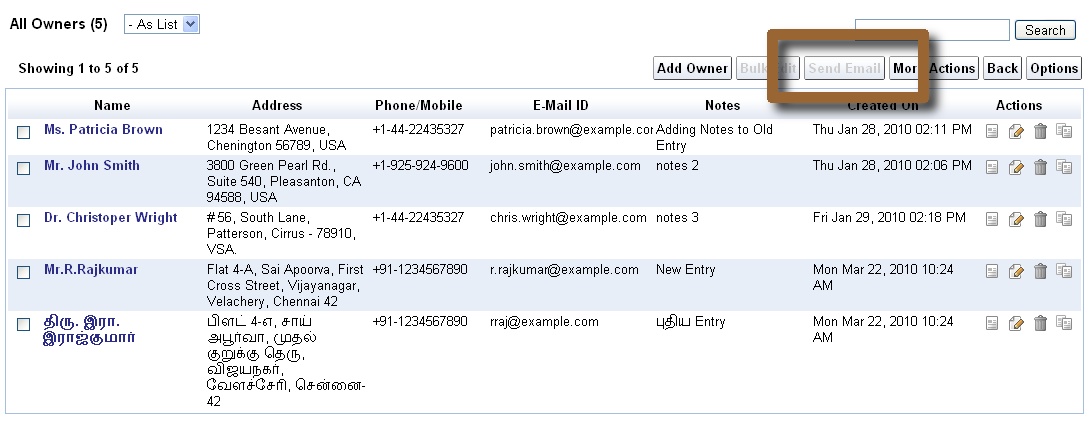
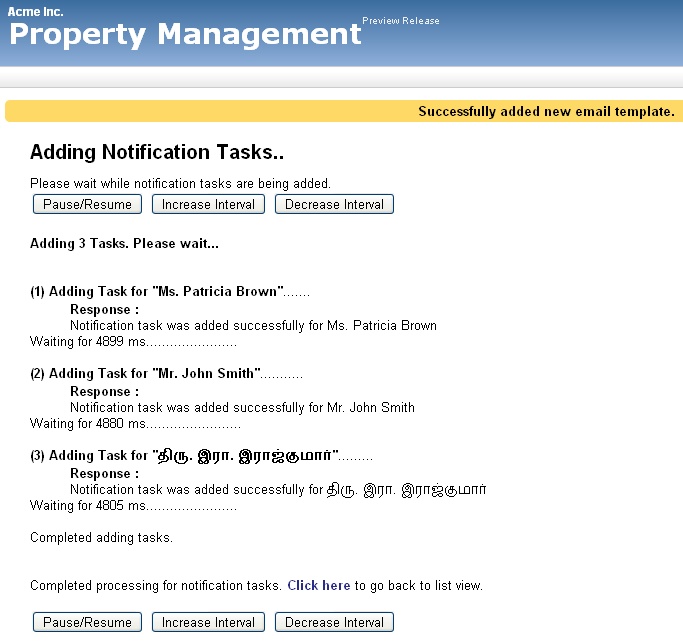
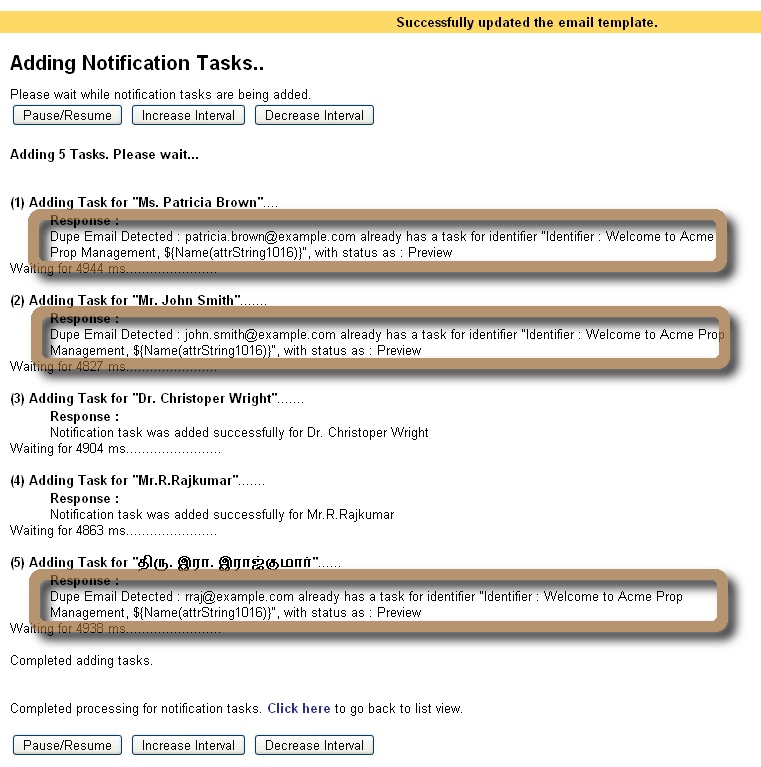
If you are using the free multi-tenant deployment, you can still try out the feature by creating the workflows and viewing the Notification Tasks records added in Preview status, showing the actual subject and the contents of the email, based on the email-template provided in the workflow configuration.

We will be adding more workflow actions to add / update database records (like creating a task), invoke external web-APIs, etc.,. If you are looking for some specific use-case which you would like to automate using workflows, kindly get in touch with us with details, using the feedback form in the application.
For the first cut of the workflow implementation, we have enabled sending out emails as part of the workflow actions. More workflow actions like adding / updating records (like creating a task), invoking external web-APIs, etc.,. are to be supported very soon.
Defining and using workflows is as simple as filling in a form.
Let us assume, for example, that you have a custom customer support database application built and hosted using using iFreeTools single-tenant deployment in your own Google App Engine account and that you have a web-form in your website using which support requests can be made.
Now, if you wanted to send an automated email to the user's email-id informing that the request has been received and will be processed by your staff soon and to also notify your team of the new support request, then the workflow configuration can be as given below..

Configuring the workflow actions is also very easy, where you can enter the details of the recipient and providing the subject and the contents of the email in the Select Action form. Both subject and contents can have template fields from the database record and will be replaced with actual values when sending out the email.
For this workflow we did not add a workflow rule or the criteria to be matched before the workflow action can be executed. But in case you want to restrict the notifications to only High / Medium severity support requests, you could have done that too. The criteria form is similar to the Custom Views form and you can specify criteria based on operators is, is not, contains, does not contain.

As can be seen in the messages in the screen-shot images, workflows will be a premium feature available for paid, single-tenant deployments alone, which by the way is very much affordable :
- $99/year for up to 25 users (which works out to $8.25/month or $0.33/user/month)
- $198/year for up to 100 users (works out to $16.5/month or $0.165/user/month)
- $297/year for unlimited users
If you are using the free multi-tenant deployment, you can still try out the feature by creating the workflows and viewing the Notification Tasks records added in Preview status, showing the actual subject and the contents of the email, based on the email-template provided in the workflow configuration.

We will be adding more workflow actions to add / update database records (like creating a task), invoke external web-APIs, etc.,. If you are looking for some specific use-case which you would like to automate using workflows, kindly get in touch with us with details, using the feedback form in the application.